

 See My Latest Article on HelloNation
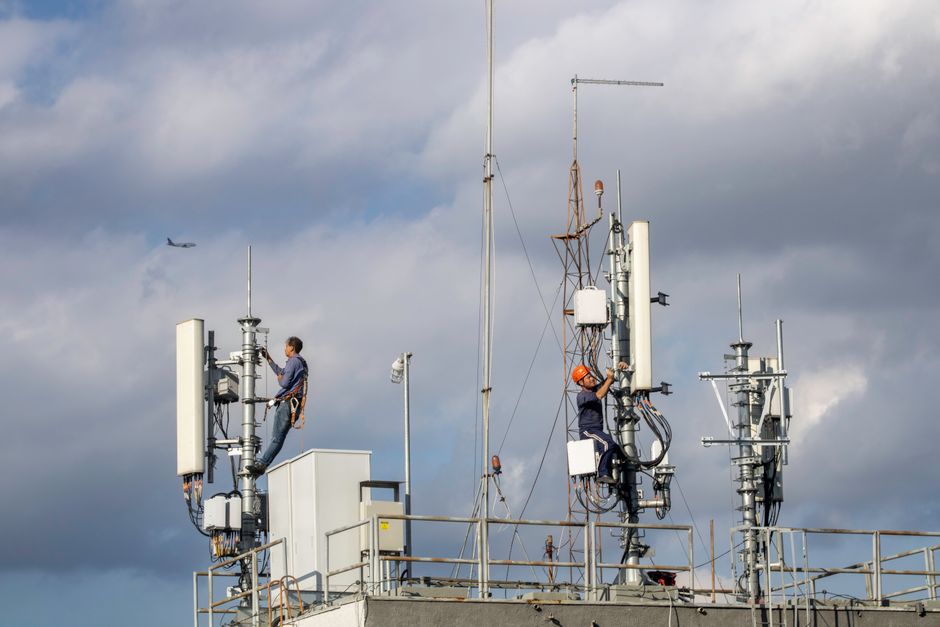
How Do Wireless Signals Work in Below-Ground Water Vaults?
Wireless technology in municipal water infrastructure, such as meter telemetry or sensor data collection, relies on radio signals. These signals typically travel well in open air but can face significant challenges when passing through earth, metal, concrete, and water—all common in buried water vaults throughout Sudbury, MA. Field technicians maintain and troubleshoot these systems to ensure reliable data reporting for leak detection, water usage monitoring, and system operations.
What Causes Interference with Wireless Signals in Underground Vaults?
Signal interference can originate from both natural and manmade sources. Here’s how common local conditions affect wireless communications in buried settings:
- Moist soil and groundwater, especially during spring snowmelt or periods of heavy rainfall in Sudbury, can absorb and weaken radio waves.
- Reinforced concrete vault lids and steel enclosures amplify attenuation, often blocking most or all signals.
- Utility lines, electrical cabling, and nearby metallic pipes can generate electromagnetic interference.
- Dense tree cover or roots around vaults may impact signals at or near the ground surface.
- Seasonal frost heaves can shift vault lids, sometimes moving antennas out of optimal alignment.
Misinterpreting these sources is a common pitfall; techs often assume only metal causes problems, overlooking soil moisture or vault misalignment—especially relevant in regions with variable weather and freeze-thaw cycles like Sudbury.
How Can Field Technicians Identify the Source of Signal Problems?
Experienced technicians begin by isolating the potential causes methodically:
1. Check Device Power: Confirm the transmitter and sensors have working batteries or power supplies—weak power can mimic interference.
2. Inspect Physical Obstructions: Open vault lids and visually check for debris, water intrusion, new utility additions, or shifted hardware.
3. Compare Signal Strength: Use handheld readers or diagnostic tools at multiple distances and angles above the vault. Note changes when the lid is open versus closed.
4. Test Environmental Conditions: Compare signal reliability after rain, snowmelt, or during dry spells. In Sudbury, spring is a prime time for troubleshooting due to increased soil moisture.
5. Swap Components: Temporarily use known-good transmitters, antennas, or batteries on the same site to rule out device failure.
What Tools Help Detect and Fix Interference?
Local waterworks teams often rely on several practical tools:
- Spectrum Analyzers: These devices scan the area for radio frequency congestion, helping spot sources of interference from other wireless devices or nearby infrastructure.
- Signal Strength Meters/Readers: Used to benchmark the quality of the wireless connection above and around the vault.
- Portable Antennas: Allow testing from multiple locations surrounding the vault to determine if a better site exists for the antenna.
- Moisture Probes: Help monitor seasonal groundwater and identify if unusually wet soil may be blocking signals.
It's helpful to document results for each vault location, as Sudbury’s variable terrain and installation depths can lead to unique patterns of interference.
What Are Practical Solutions for Improving Reliable Communication?
Field technicians have several workable options when challenges are detected:
- Antenna Relocation: Moving the antenna higher, through a vent hole or mast above ground, often bypasses the worst attenuation. Securing antennas to utility poles or nearby fences is effective when allowed.
- Improved Antenna Design: Using ruggedized, higher-gain antennas (within manufacturer specs) can boost connectivity through thick lids and earth.
- Vault Lid Modifications: Some municipalities retrofit vault lids with radio “windows”—small, non-metallic sections for line-of-sight signal escape.
- Repeaters and Relays: Placing additional intermediary relays near weak spots can strengthen network coverage across low-lying or signal-blocked areas.
- Scheduling Data Transmissions: Adjusting how and when readings occur may reduce missed data, especially during known trouble periods (after storms or in early spring).
Local ordinances and maintenance standards should always be followed for safety and reliability.
What Should Technicians Avoid or Watch Out For?
Technicians in Sudbury sometimes overlook these factors:
- Maintenance Timing: Working after heavy rainfall or snowmelt can skew diagnostics due to extra soil moisture.
- Animal Intrusion: Rodents or insects inside a vault may damage wiring or block sensor ports, simulating interference.
- Seasonal Vault Shifts: New alignment issues may develop after winter, requiring antenna and sensor readjustments.
- Overpowering Devices: Boosting output power beyond system specifications can violate regulations and create new interference.
Being methodical and considering local environmental trends leads to more durable troubleshooting results.
When Do Signal Problems Suggest a Larger Infrastructure Issue?
Persistent wireless failures—despite troubleshooting—may indicate larger problems, such as crack formation in vault structures, improper device installation, or wide-area network failures. In these cases, check for:
- Consistently wet vaults without direct leaks
- Multiple nearby vaults showing similar signal issues
- New or unknown sources of electromagnetic noise
In some cases, these point to broader maintenance or infrastructure needs in the community, rather than device-specific faults.